Program Your Own Pocket Game on a Pico and OLED
Write a dodge-the-asteroids game in MicroPython on a 128×64 screen with three buttons.
Making a game teaches loops, timing, collisions and graphics in one fun package. The SSD1306 OLED is crisp, cheap and fast enough for smooth action.
Video tutorial
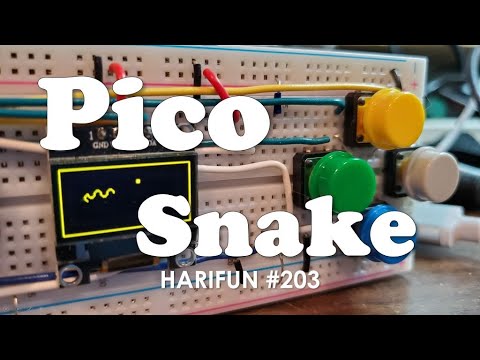
Video by Hari Wiguna, embedded from YouTube. The written steps below are our own and match the parts list.
Mission steps
Wire the screen
OLED SDA to GP4, SCL to GP5, VCC to 3V3, GND to GND.
Wire the buttons
Left button to GP14, right to GP15, start to GP16; each to GND.
Copy the driver
Upload ssd1306.py from the MicroPython library to the Pico.
Run the game
Paste the code as main.py. Asteroids fall faster as your score climbs.
Make it yours
Add sound with a piezo buzzer, a high-score saved to flash, or a 3D-printed handheld case.
Code
from machine import Pin, I2C
import ssd1306, time, random

oled = ssd1306.SSD1306_I2C(128, 64, I2C(0, sda=Pin(4), scl=Pin(5)))
L, R = Pin(14, Pin.IN, Pin.PULL_UP), Pin(15, Pin.IN, Pin.PULL_UP)
x, rocks, score, speed = 60, [], 0, 1

while True:
    if not L.value(): x = max(0, x - 3)
    if not R.value(): x = min(120, x + 3)
    if random.random() < 0.08 + score / 2000: rocks.append([random.randint(0, 124), 0])
    oled.fill(0)
    for r in rocks:
        r[1] += speed + score // 100
        oled.fill_rect(r[0], r[1], 4, 4, 1)
        if r[1] > 54 and abs(r[0] - x) < 6:
            oled.text('GAME OVER', 28, 24); oled.text(str(score), 56, 40); oled.show()
            time.sleep(3); rocks, score = [], 0
    rocks = [r for r in rocks if r[1] < 64]
    oled.fill_rect(x, 58, 8, 4, 1); oled.text(str(score), 0, 0); oled.show()
    score += 1; time.sleep_ms(30)
Tip: test every script on the bench before installing it in a moving machine.
Questions
Screen stays black
Some modules use address 0x3D instead of 0x3C — pass addr=0x3D. Also check SDA and SCL are not swapped.